Digital Character Sheet
PC on Parchment
A living character sheet that looks like the real thing. Build with official 5th-edition options, play from any device, and print a pixel-perfect sheet when you want paper at the table.
Launch PC on Parchment ↗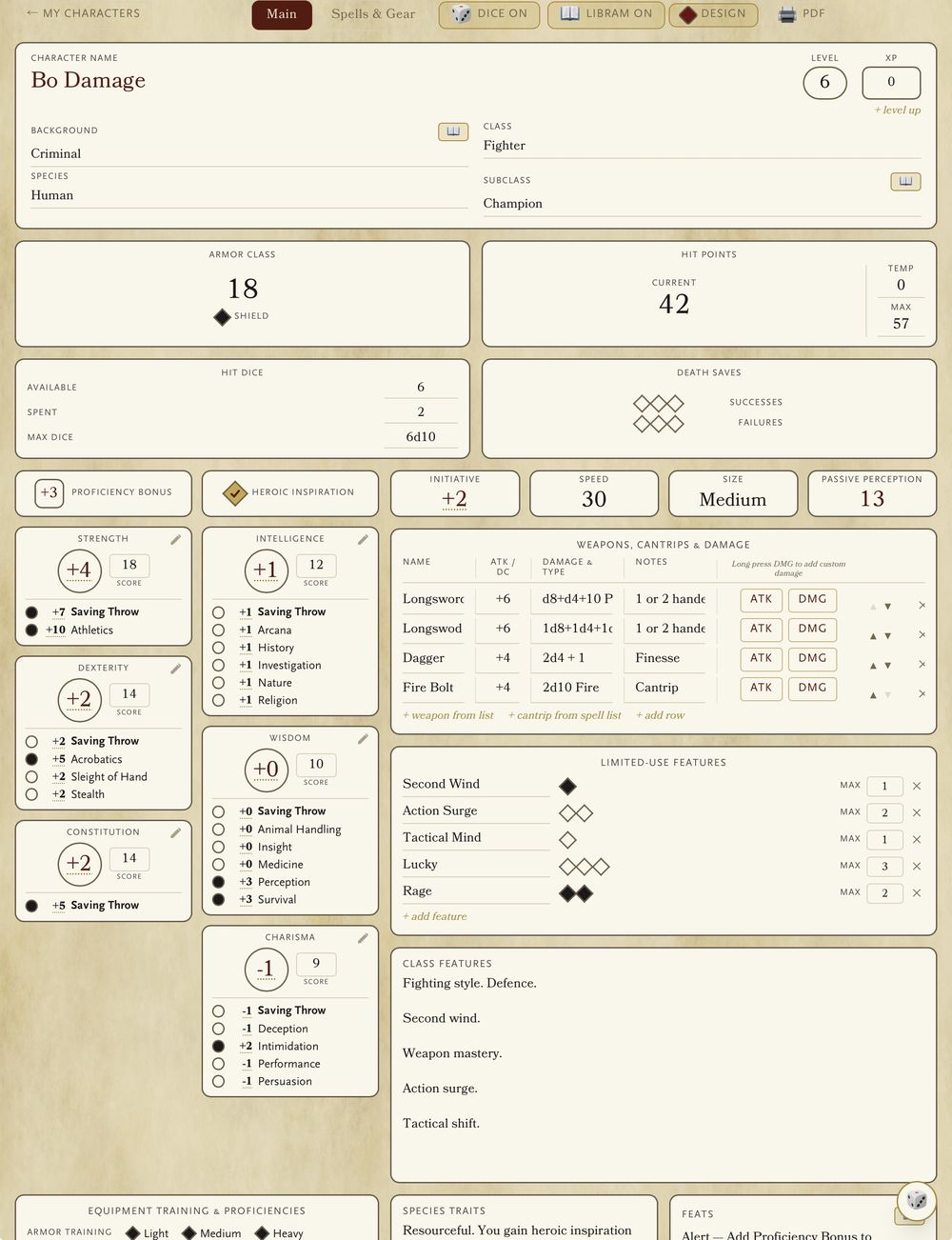
Chapter I
A sheet that looks the part
The layout mirrors the official 2024 character sheet, so everything sits exactly where you expect it. Just print out your character, grab your dice and head to games night! Or, if you prefer, take your iPad with you — tap a number to roll it, tap the pencil to change it. At the table, familiarity is speed.
Chapter II
“Keep your digital hands off my dice!”
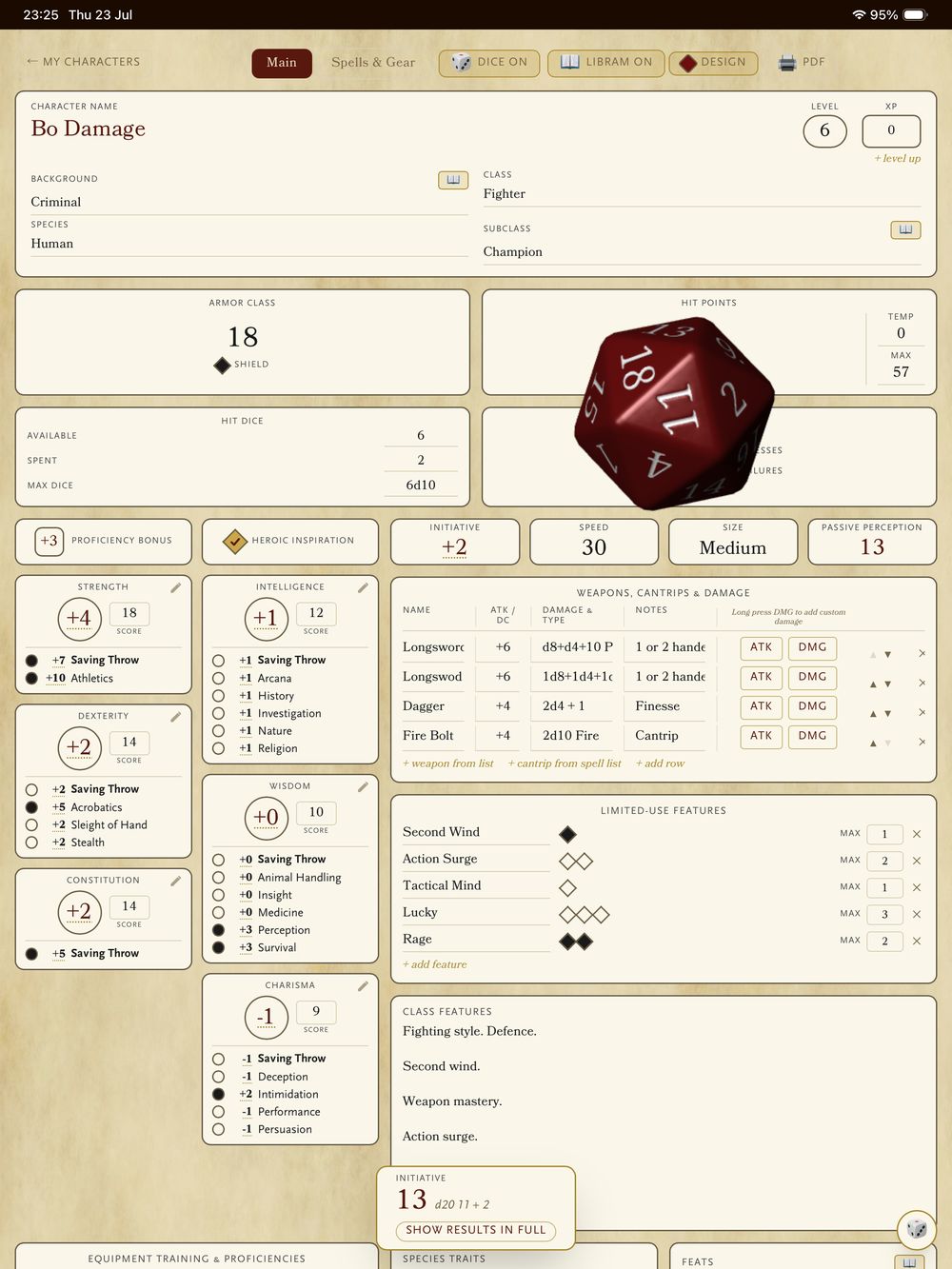
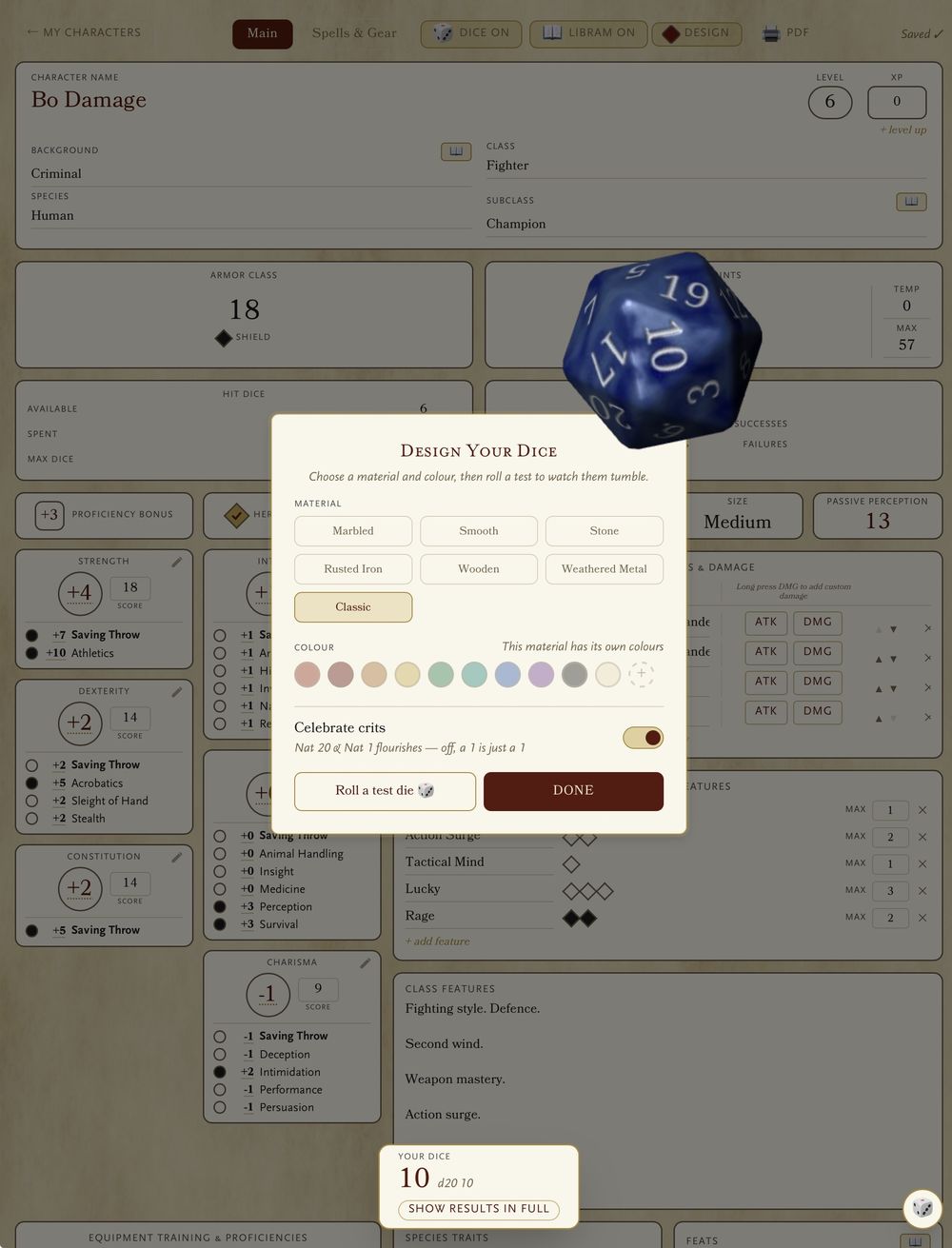
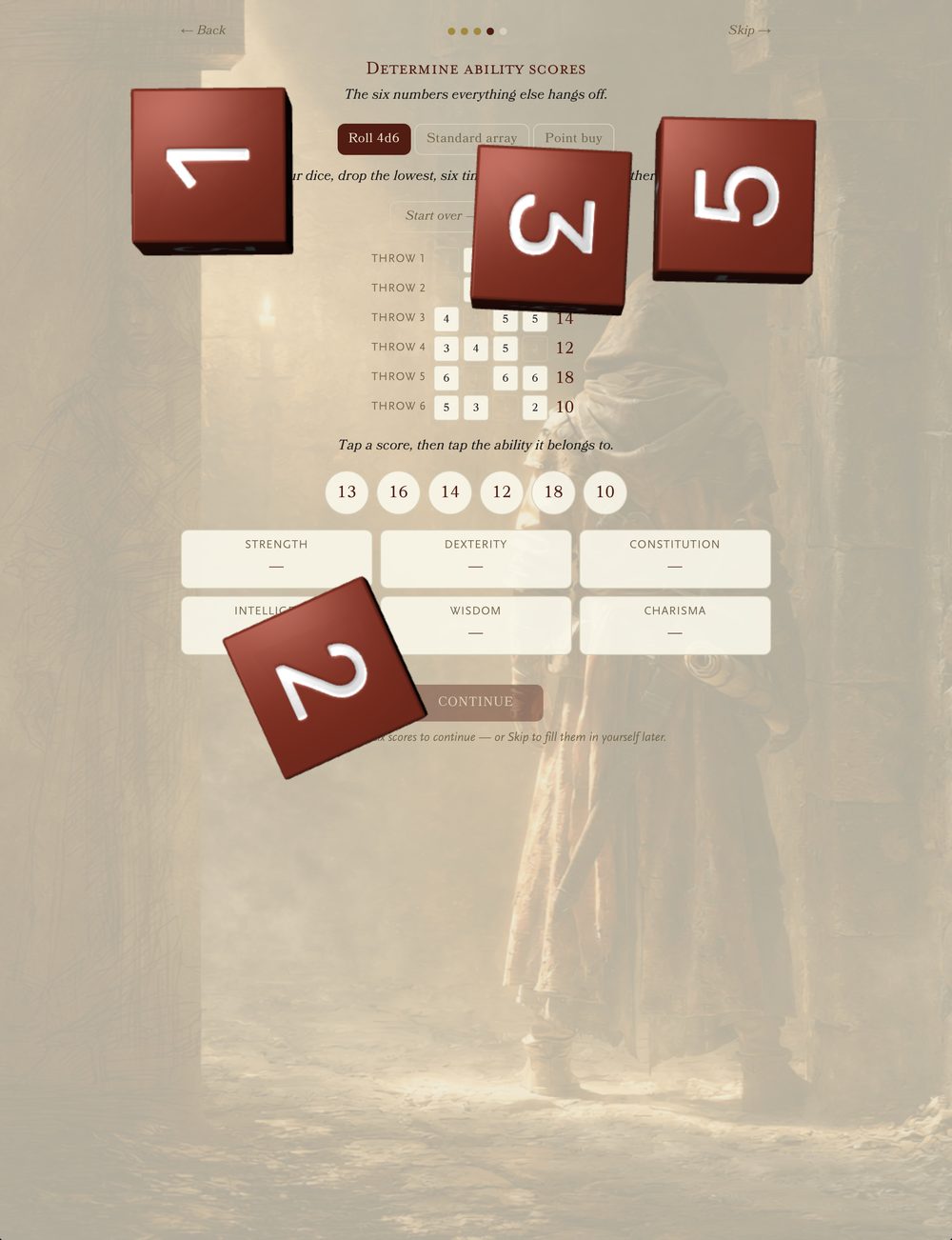
Absolutely. The dice switch starts off and stays off until you say otherwise — the sheet is a sheet first, and your lucky d20 keeps its job. Or flick it on, tap any stat, and real 3D dice tumble across the parchment — attack, save or check, resolved where you're already looking. There's even a dice designer, to forge a set that's yours.
Chapter III
Pick your era
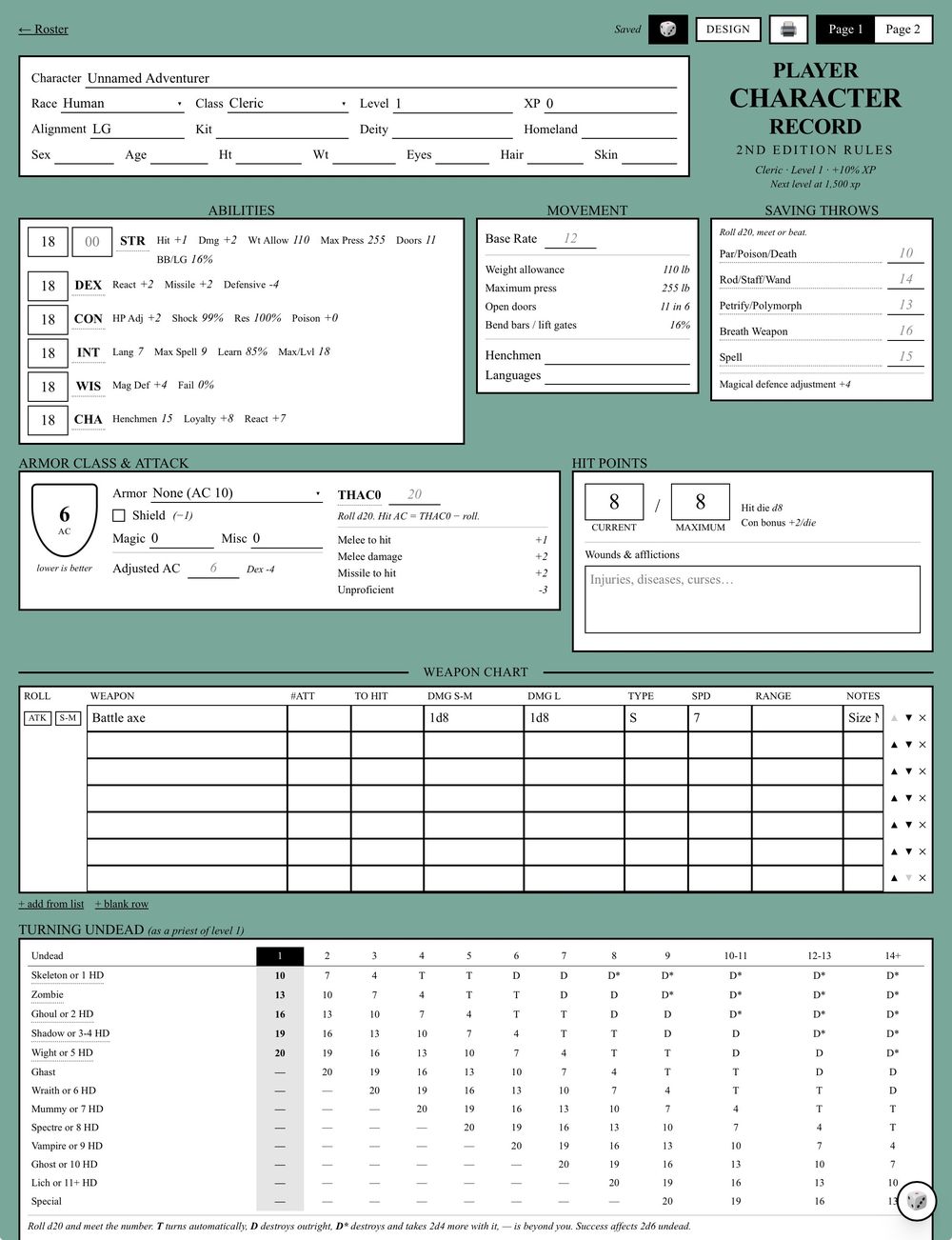
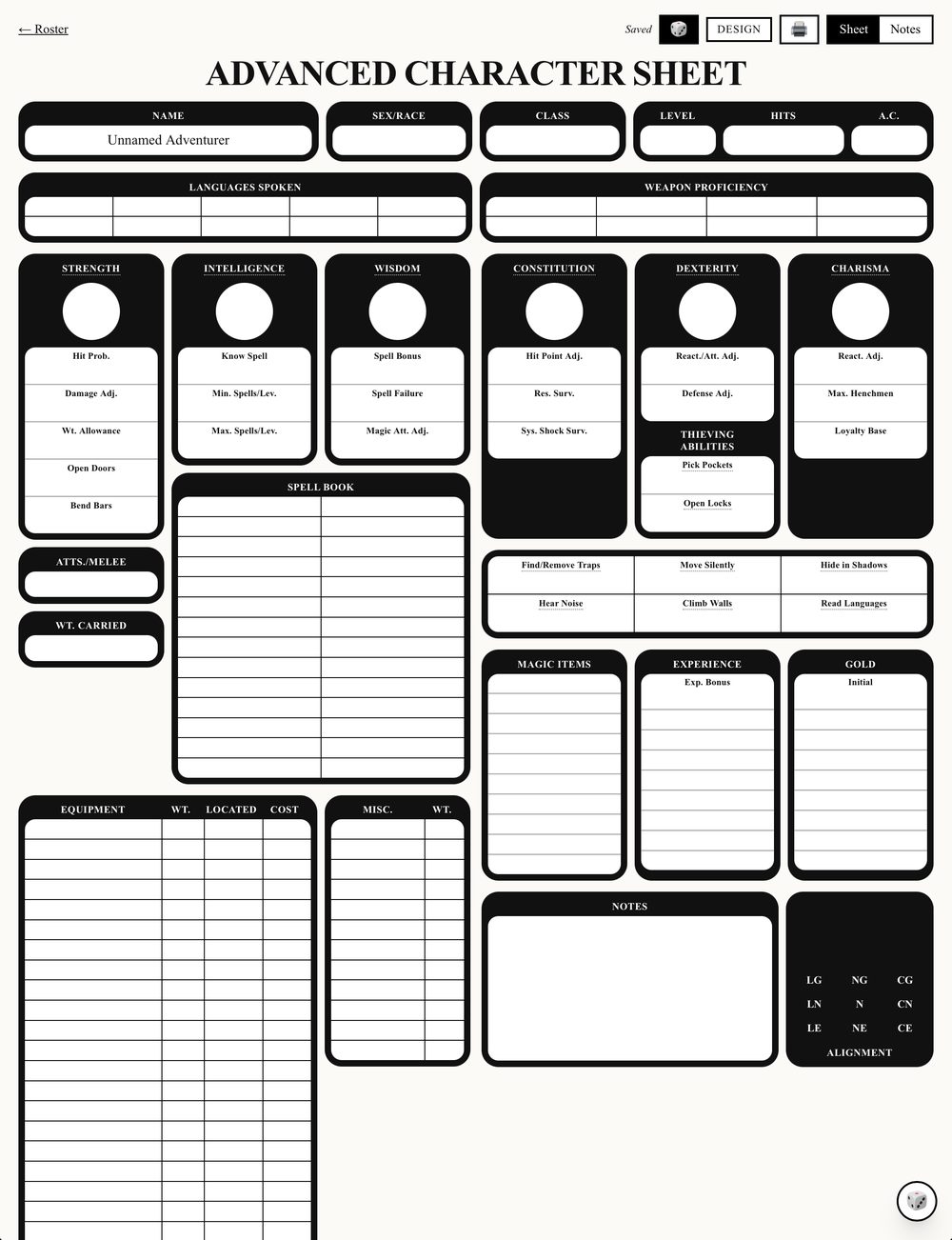
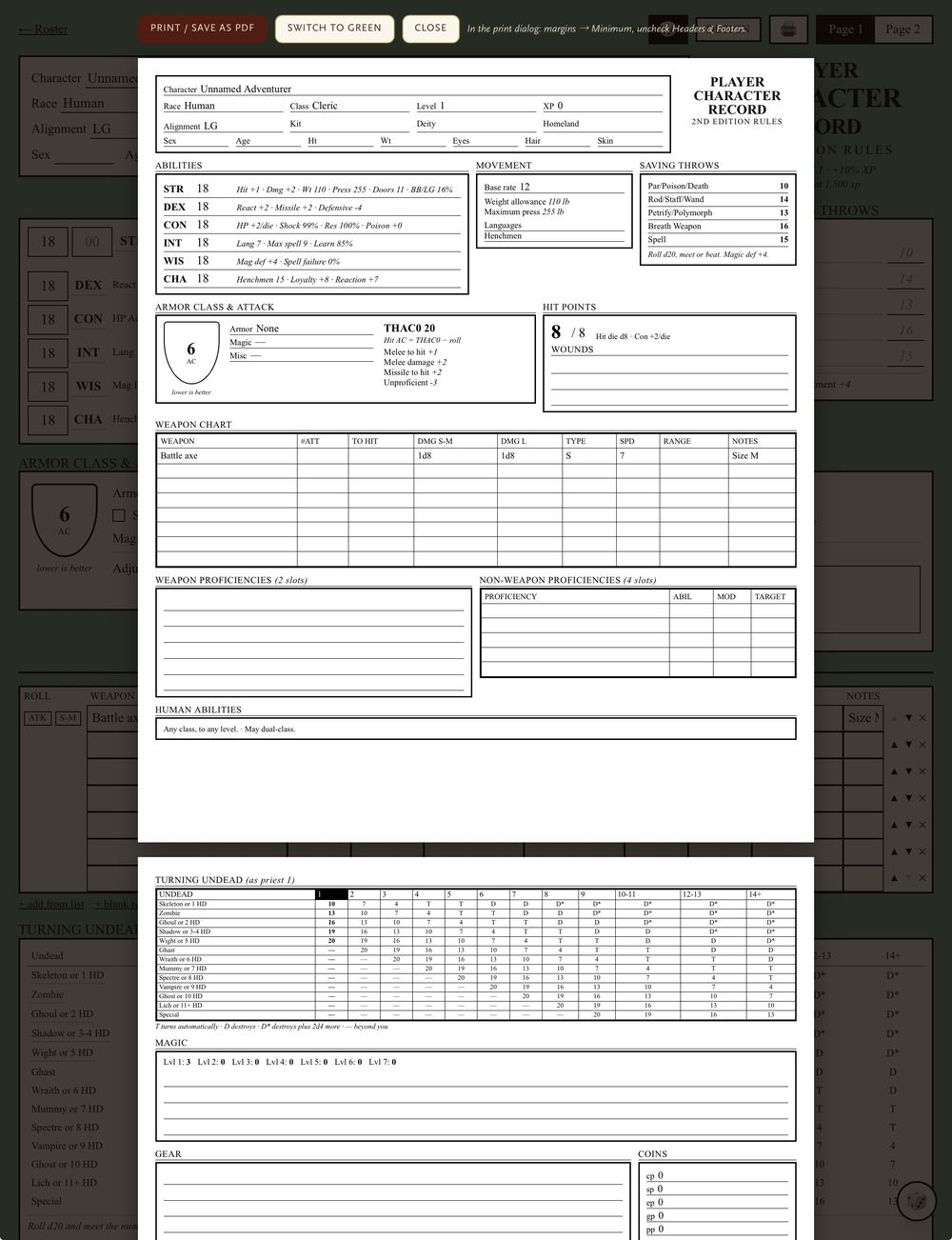
Four sheets, all of them real. The 2024 rules, the original 5e, AD&D 2e with THAC0 and descending armour class worked out for you, and 1e in its old black-panel livery — Bend Bars, System Shock Survival, the nine-box alignment grid and all.
These are different games rather than different skins, so each sheet does its own maths. Except 1e, which deliberately does none: it's rules-loose by design, so the sheet keeps the writing and leaves the arithmetic to you.
Chapter IV
Or let it walk you through it
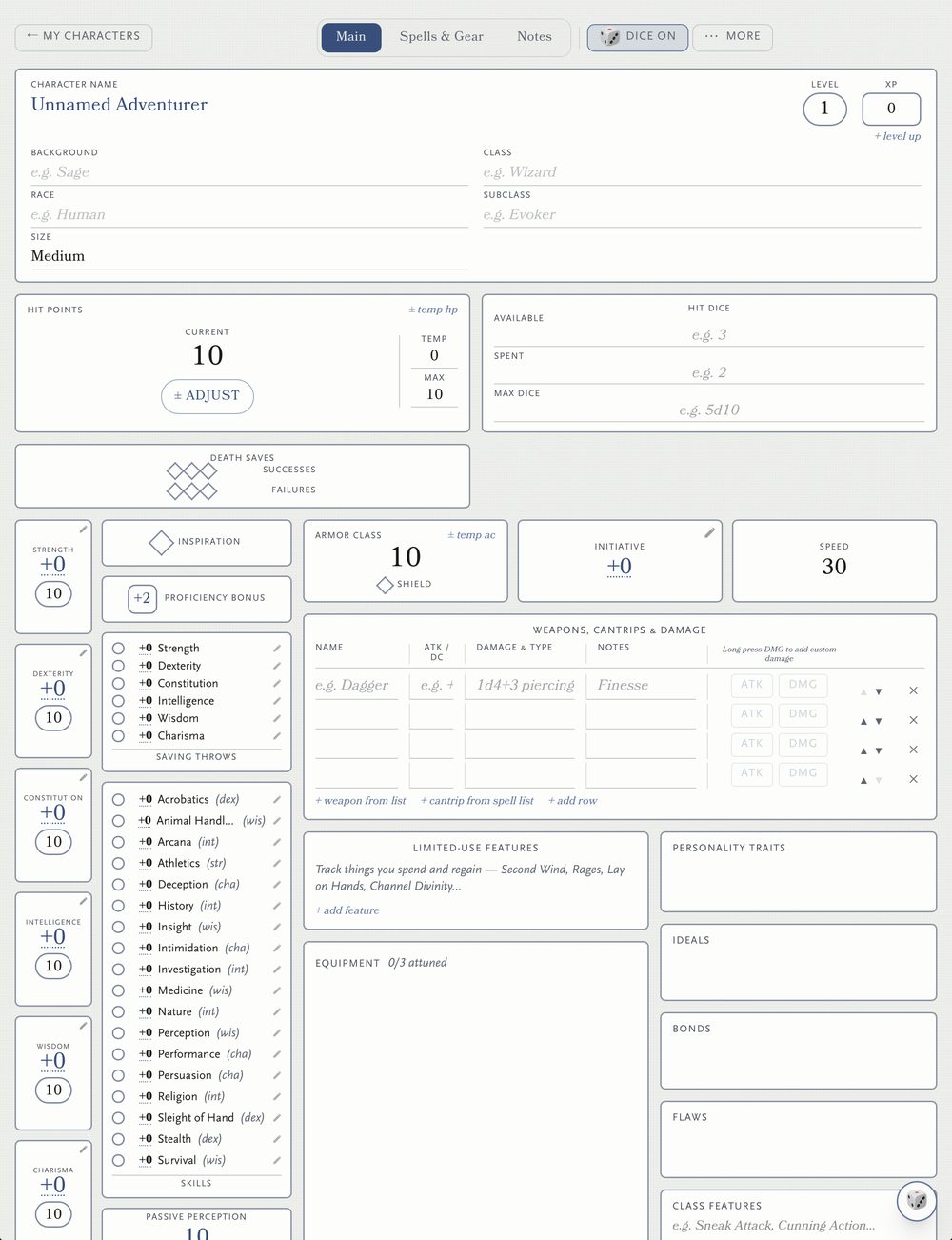
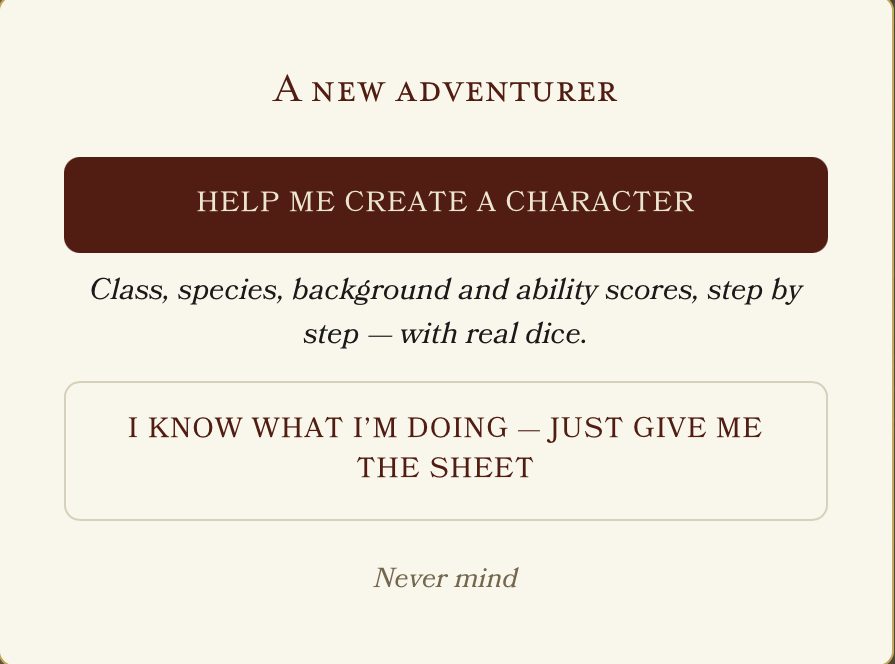
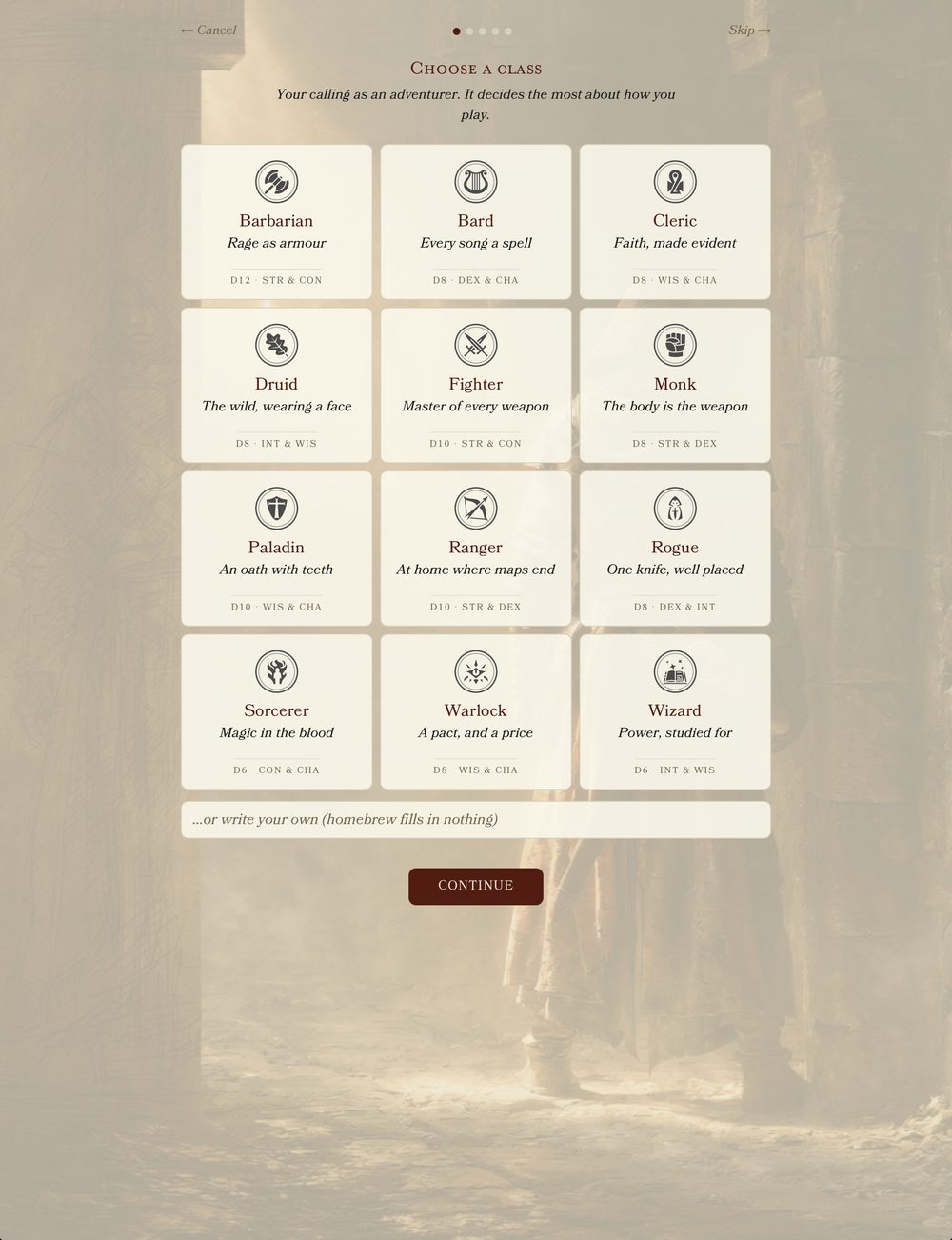
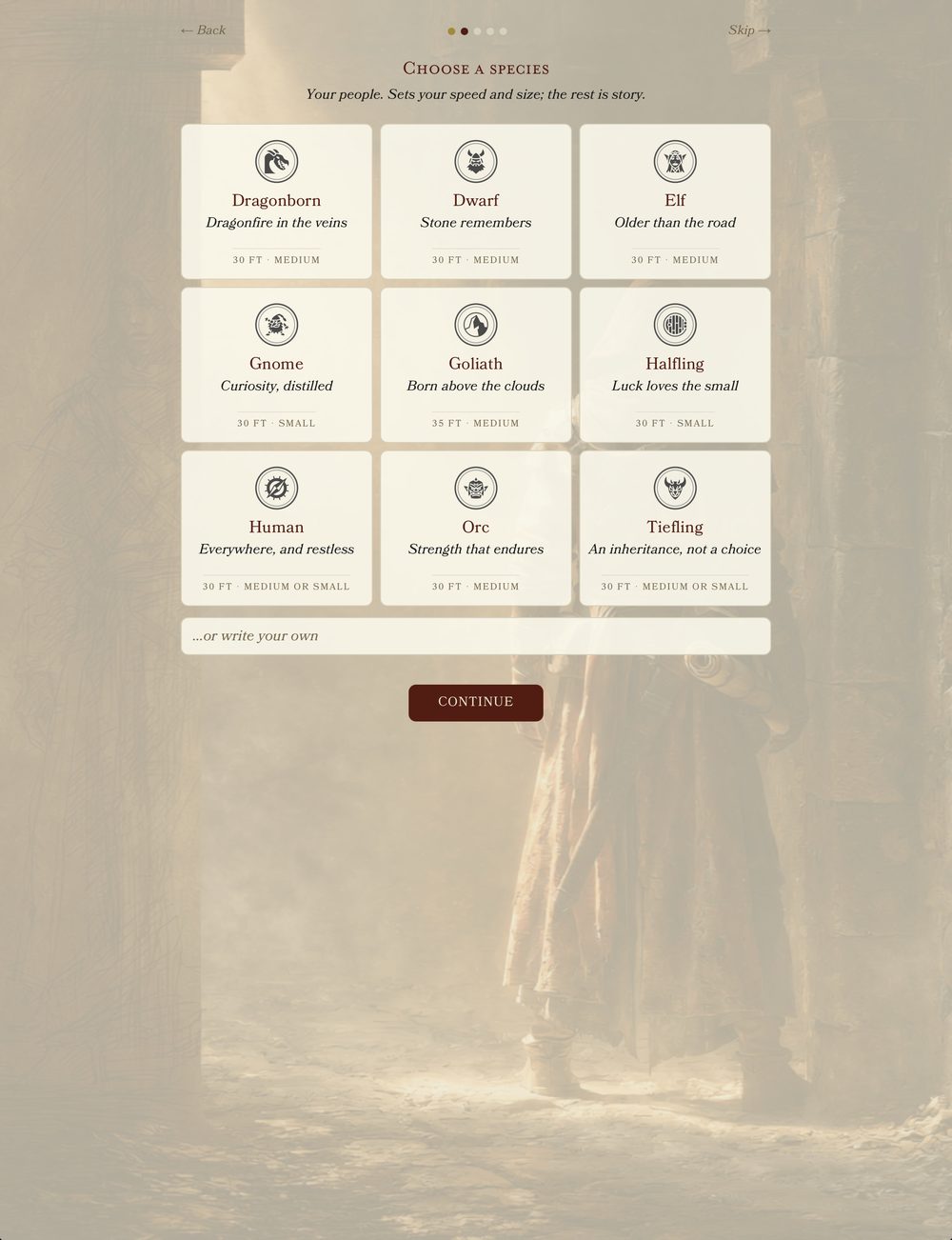
A new character starts with one question: do you want a hand, or would you rather just have the sheet? Take the sheet and nothing changes. Take the hand and the builder asks one thing at a time — class, species, background, then ability scores rolled on real 4d6 with the lowest die left on screen as it drops away.
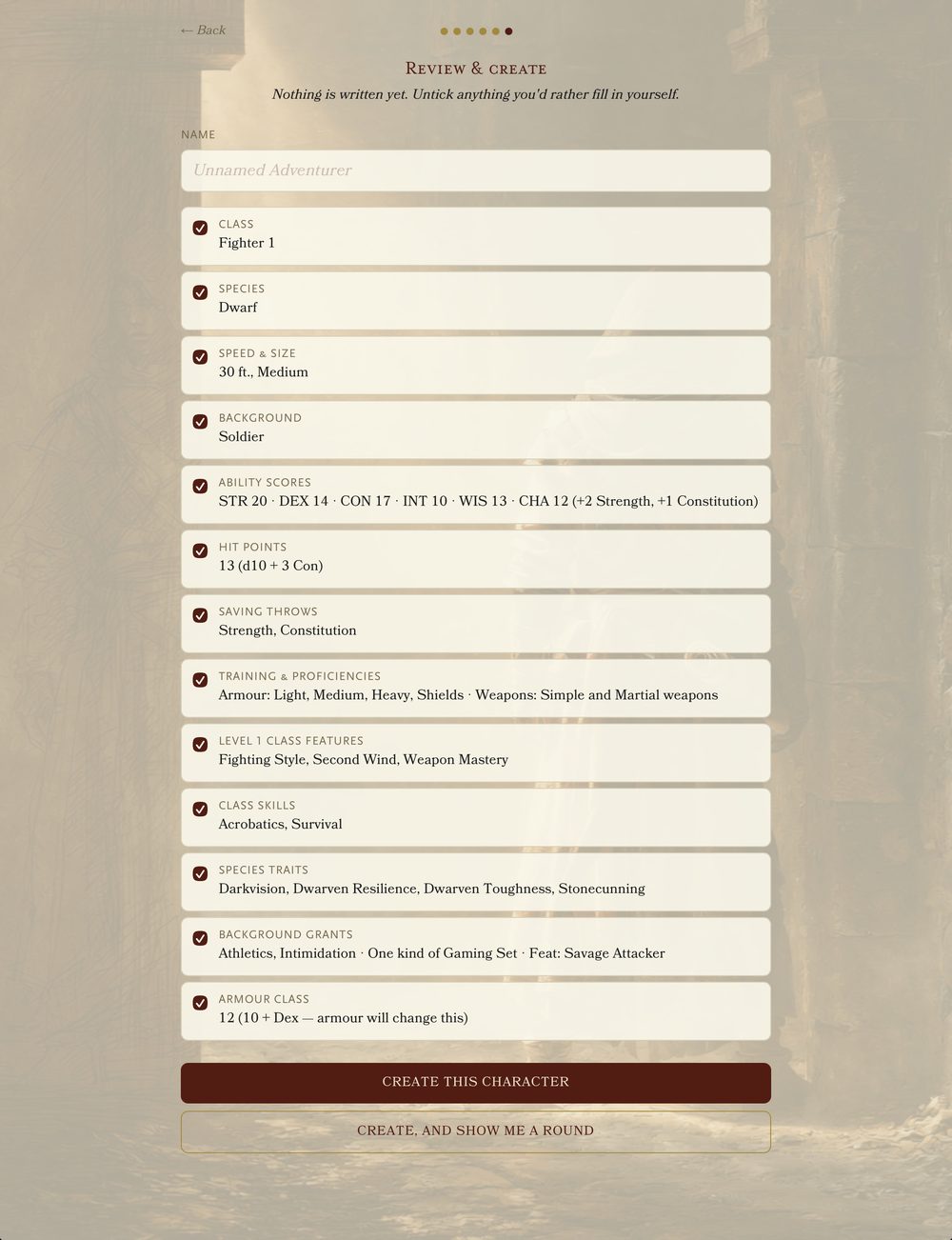
The last step shows its working. Not "HP 13" but 13 (d10 + 3 Con). Every line has a tick, so you can decline anything you'd rather decide yourself, and nothing at all is written until you say so. It's for the 5.5e sheet; the other three editions start you on a blank page, as they always have.
Chapter V
Learn it by playing a round
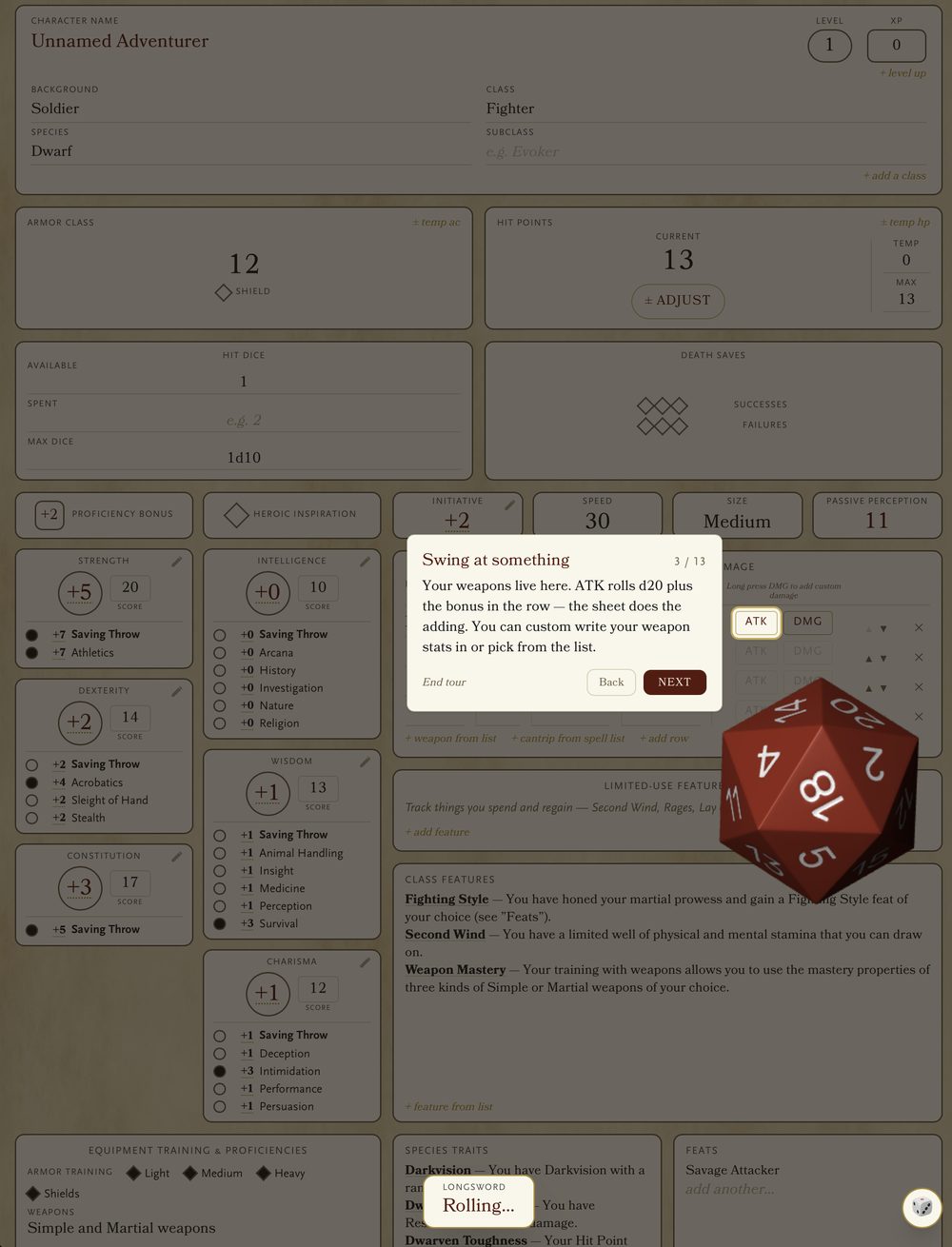
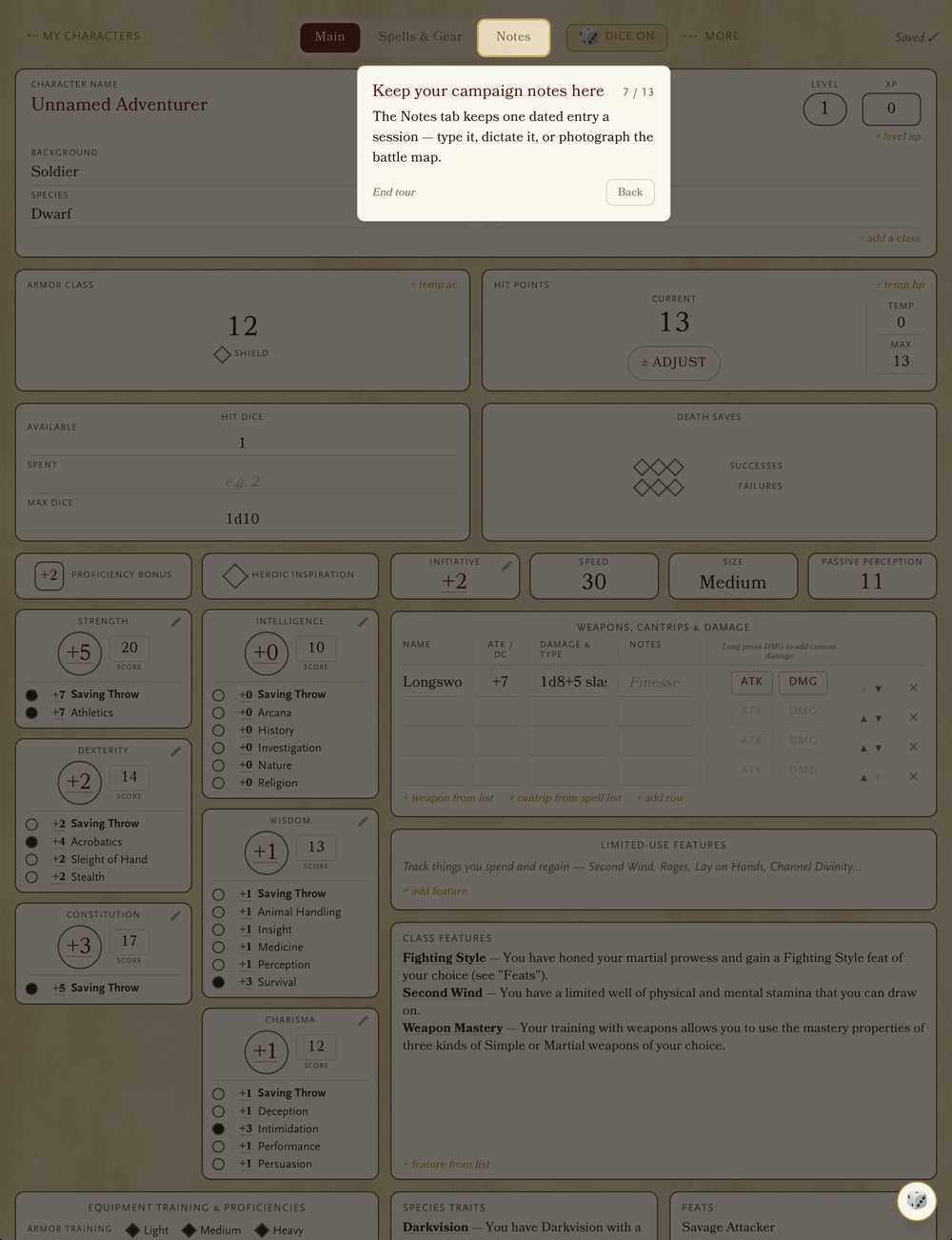
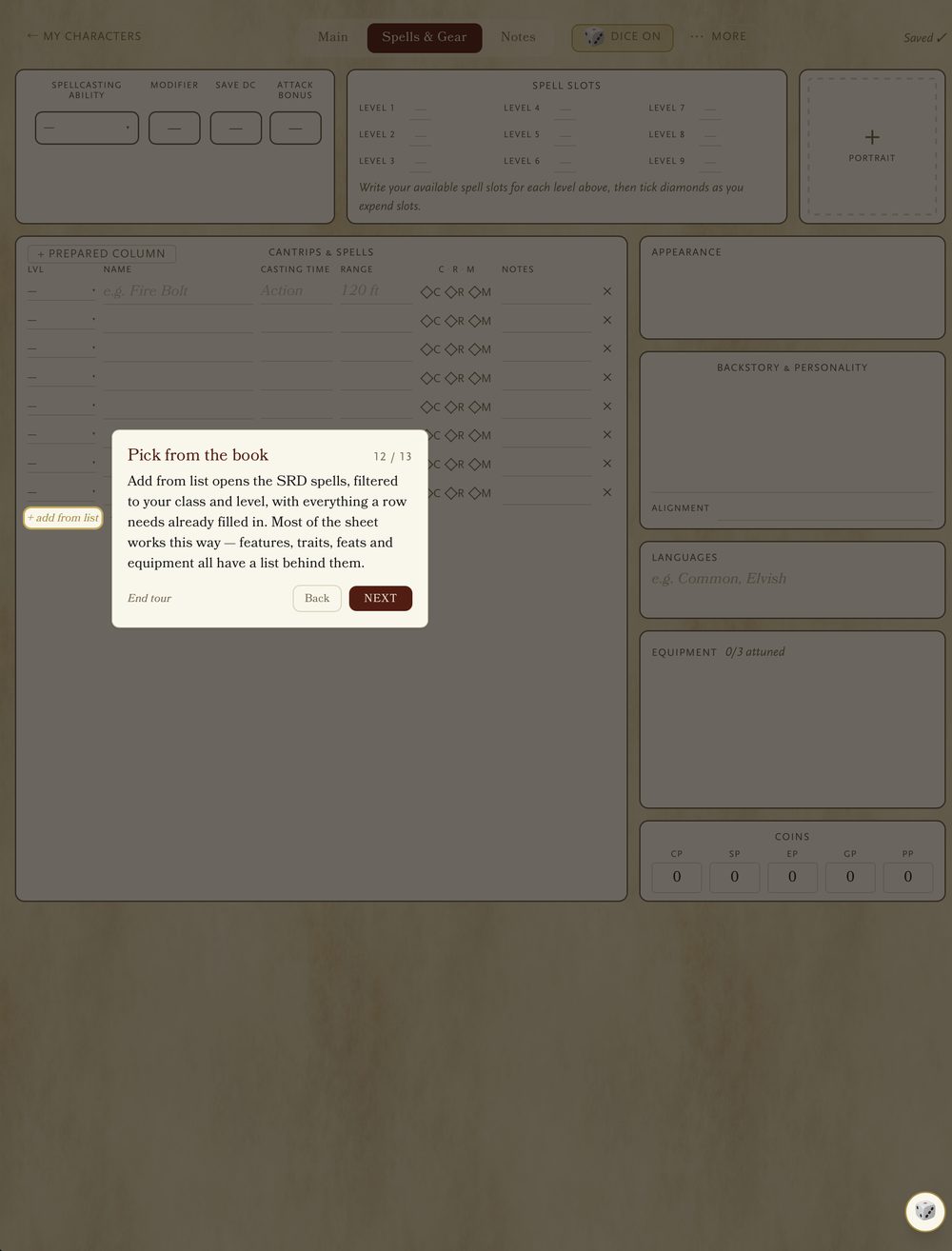
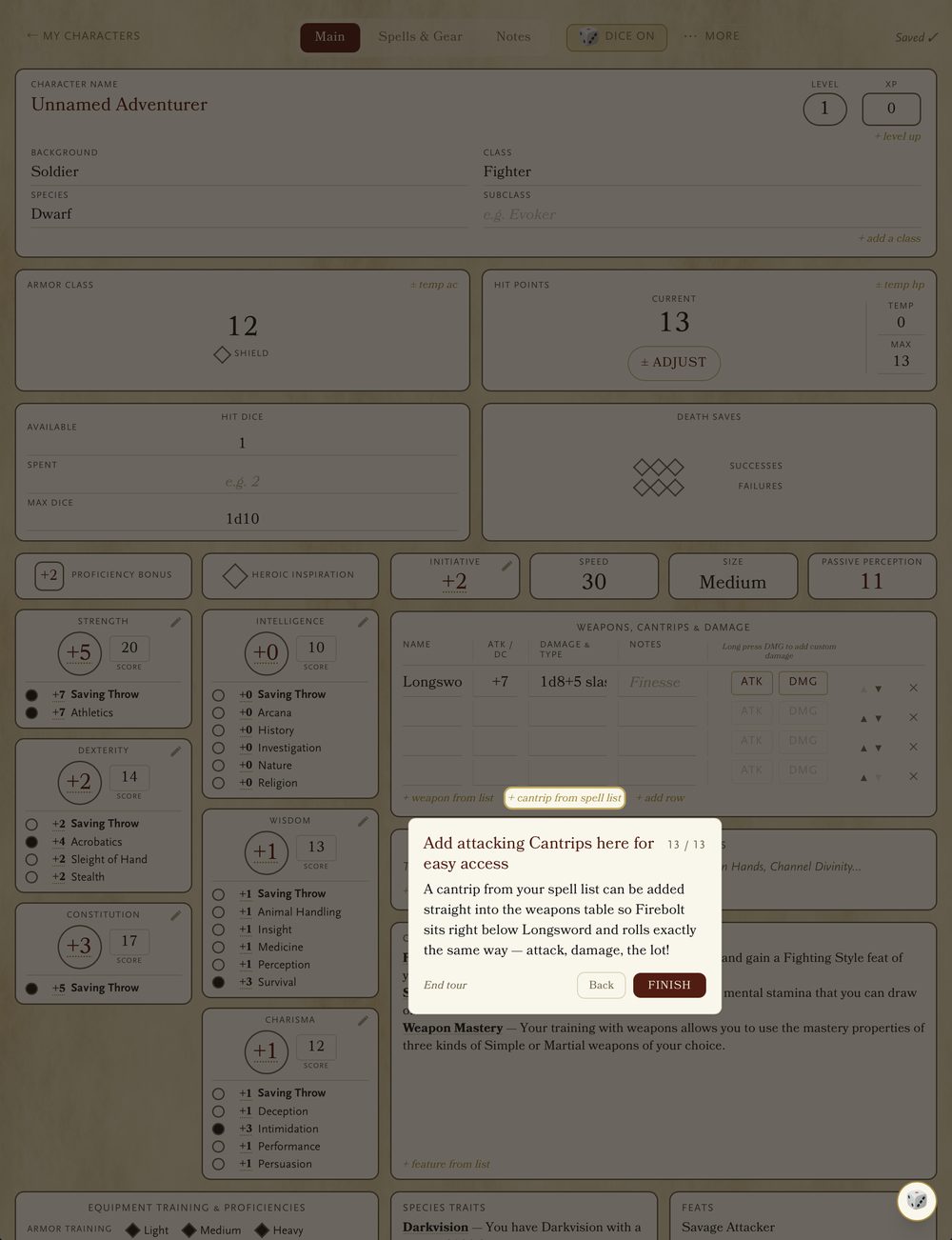
Nobody needs a tutorial for a piece of paper, so the sheet doesn't lecture you with one. Instead there's a walkthrough that hands you your own character and plays a combat round with it — roll initiative, swing at something, roll the damage, take a hit, make a save.
Along the way it lets you in on the thing worth knowing: nearly every empty row has a list behind it, already filled in. Learn that once and most of the sheet opens up at once. You can end the tour at any step.
Chapter VI
Plays well with the Libram
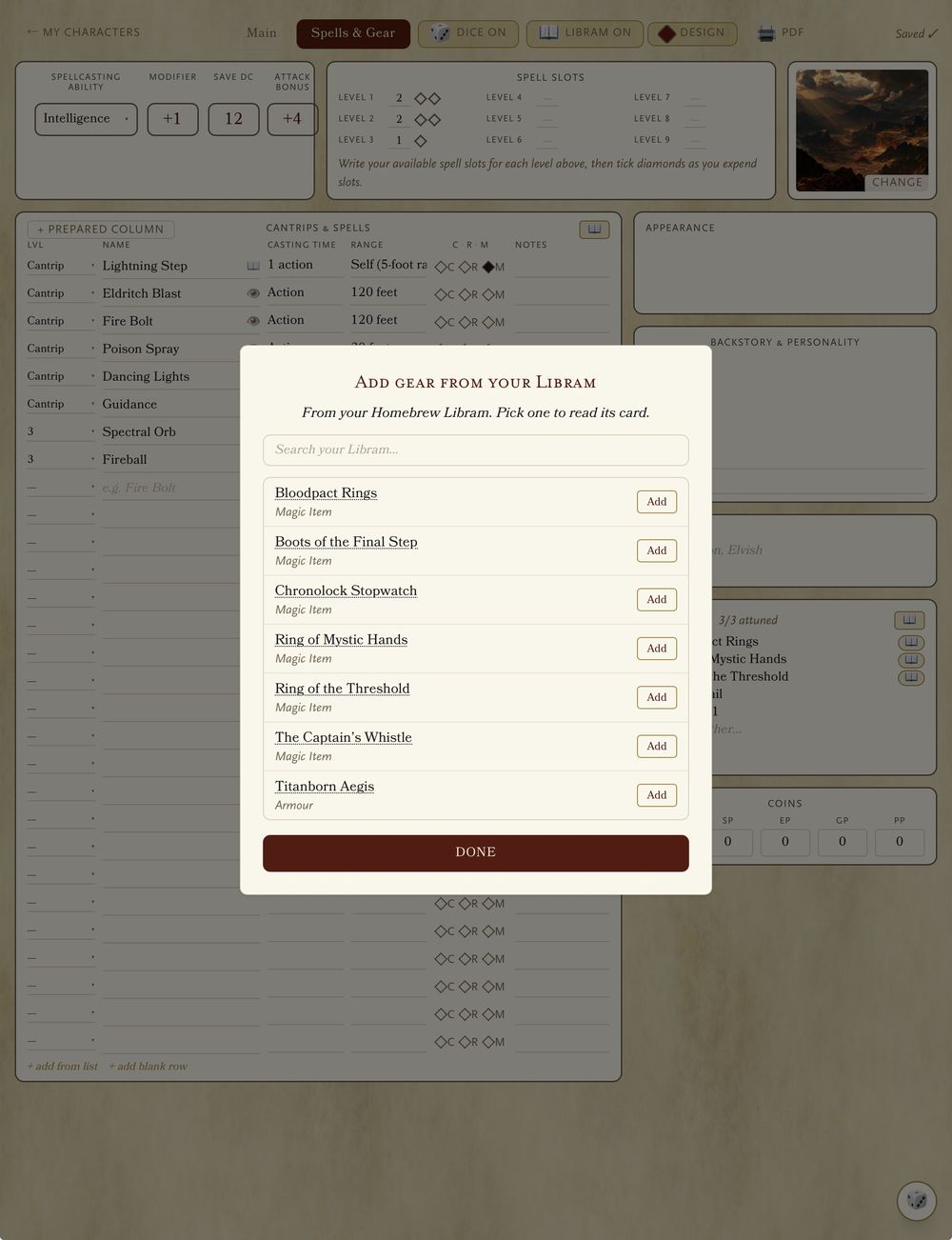
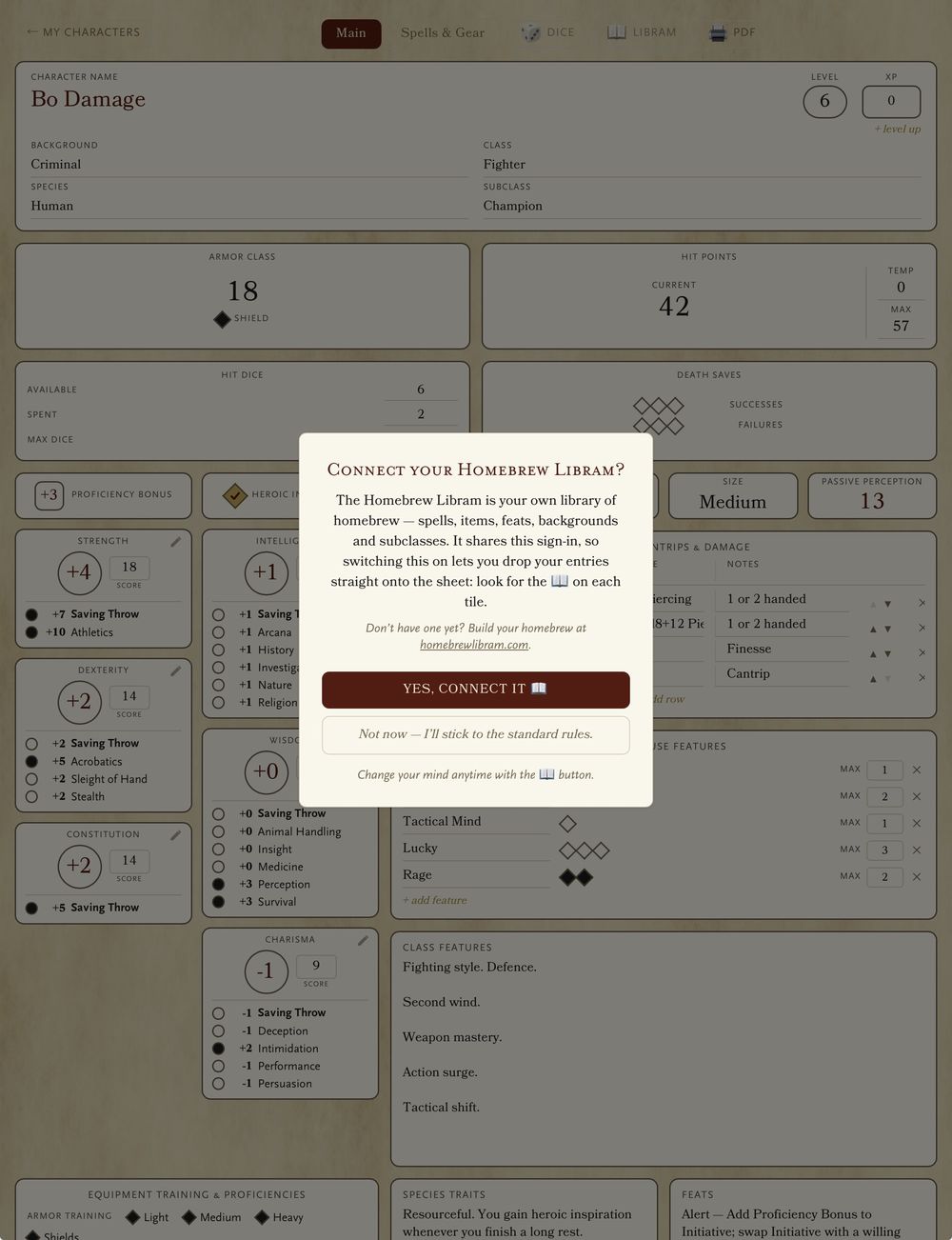
Connect your Homebrew Libram and pull your own creations — magic items, weapons, wondrous gear — straight onto the sheet. One guild login covers both.
Chapter VII
Paper, for games night
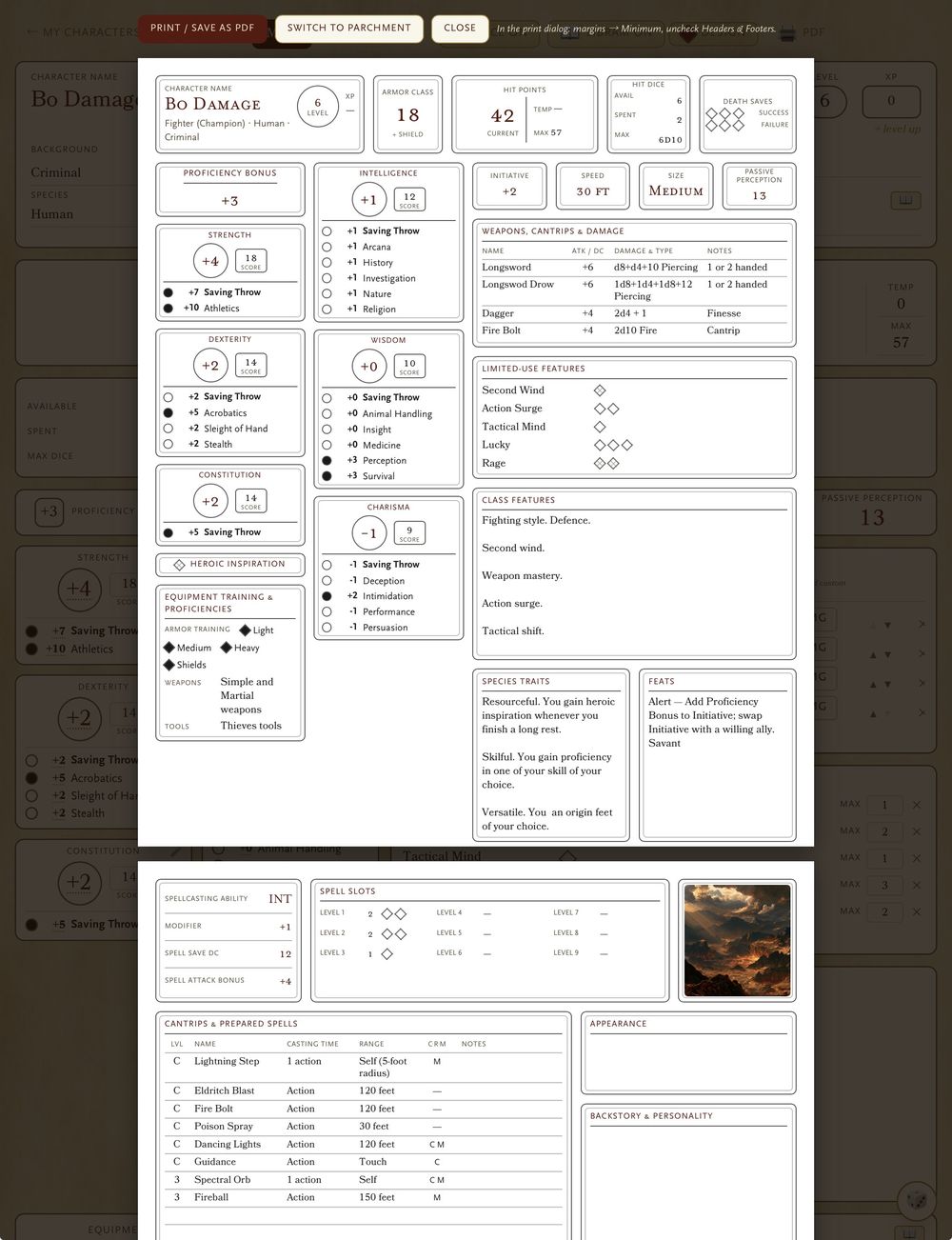
Prefer analogue at the table? One tap renders a pixel-perfect A4 sheet — in-play tick boxes print empty, ready for pencil, while your proficiencies stay inked. Save as PDF or print it straight, in modern or old-school flavours.
Chapter VIII
Your roster, anywhere
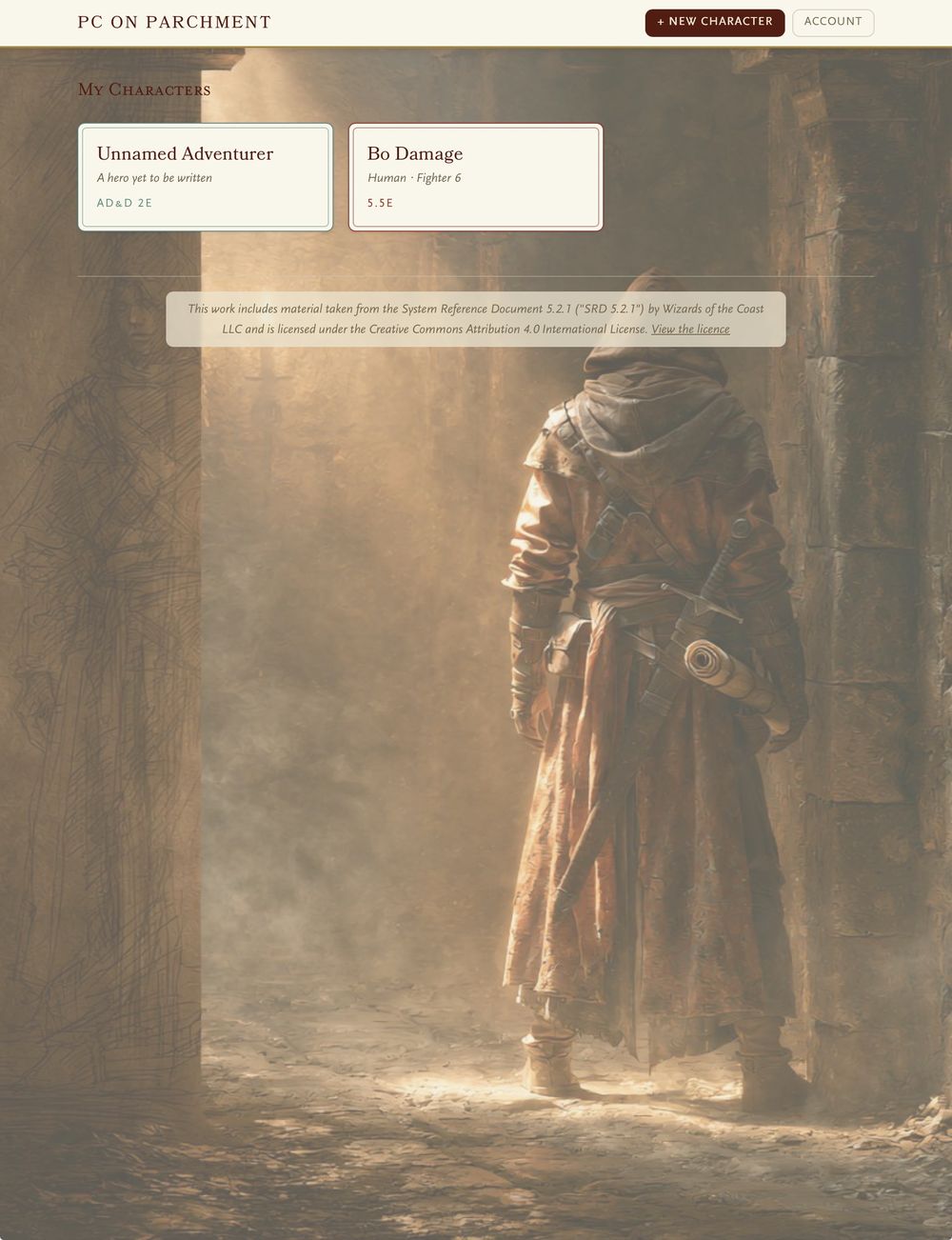
Characters live in the cloud and travel with you — phone at the table, iPad on the sofa, laptop between sessions. Your whole adventuring party, one shelf.
Questions from the table
The things people ask before they roll up their first character.
Is PC on Parchment free?
Yes — completely. No ads, no subscription, no cap on how many characters you keep. It's a hobby project rather than a business.
Which editions can I play?
Four sheets, all live: D&D 5.5e mirroring the current Player's Handbook layout, the original D&D 5e sheet for tables still on the older books, a full AD&D 2e sheet with its own rules engine, and AD&D 1e as it was first written. You pick the edition when you create a character, and it can't be changed afterwards — they're different games, not different skins.
Is the AD&D 2e sheet a real 2e sheet, or a reskin?
A real one. It runs THAC0, descending armour class and the five saving-throw categories, not 5e maths with old-fashioned styling. There's a fuller write-up of the 2e sheet if you want the detail.
Does the 1e sheet work the same way?
Deliberately not. The 1e sheet is the one edition that fills in nothing — pure text entry, no auto-fill and no engine, because 1e is rules-loose by design and most tables want it left alone. You still get tap-to-roll-under on abilities and thief skills, and it prints.
Can I print my character sheet or save a PDF?
Yes. Every sheet has its own dedicated A4 print layout — not a screenshot of the screen, but a proper printed sheet, right down to the 1e Advanced Character Sheet. Print to PDF and you have a file to keep or send to your DM.
Do I need an account?
Yes, so your characters follow you between devices. One login covers both this and Homebrew Libram — sign up once and both apps know you.
Can I roll dice from the sheet?
Tap any stat and real 3D dice tumble across the parchment — attacks, saves and checks resolved where you're already looking. There's a dice designer too, so you can pick the material and colour of your set.
Can I use my own homebrew?
Yes — connect your Homebrew Libram and pull your own magic items, weapons and wondrous gear straight onto the sheet.
Can it help me build a character from scratch?
Yes — there's a guided builder that walks you through class, species, background and ability scores, rolling 4d6 with real dice if you want it to. It's 5.5e only; the other three editions drop you straight onto a blank sheet. Every step is skippable, and nothing is written until you say so.
I've never used a digital character sheet. Is there a guide?
There's a walkthrough built into the 5.5e sheet that shows you the thing itself rather than telling you about it — rolling an attack, taking a hit, making a save, keeping session notes. You can leave it at any point.
Where do the spell and equipment lists come from?
The 5.5e pickers draw on the SRD 5.2.1, released under a Creative Commons licence — mechanics only, no copyrighted flavour text. This is an unofficial fan-made tool, not affiliated with or endorsed by Wizards of the Coast.